
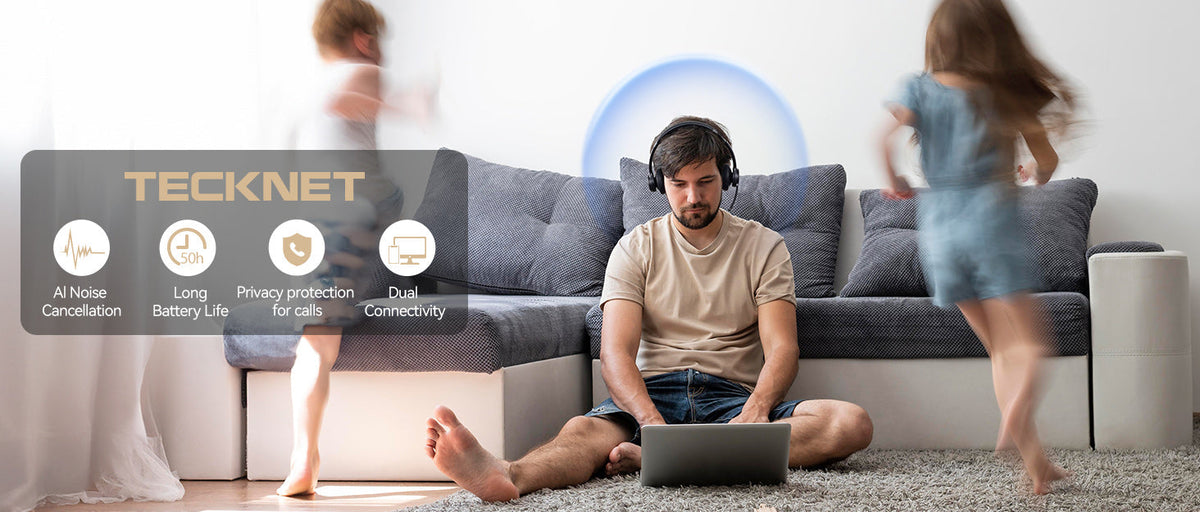
What Makes a Good Headset for Work?
A good headset for work should do more than play audio. If you spend hours on phone calls, video meetings, or online conferences, you need a headset that is comfortable, easy to use, and reliable throughout the workday.
The right headset with microphone can make conversations clearer, reduce distracting background noise, and help you stay focused whether you work from home, in an office, or on the road.
When choosing a work headset, consider these key factors:
- Comfort for extended wear
- Microphone quality
- Noise cancellation and noise reduction
- Bluetooth connectivity
- Battery life
- Wireless range
- Device compatibility
- Easy-to-use controls
Let's take a closer look at what matters most.
1. Choose a Comfortable Headset for Long Workdays
If you wear a headset for several hours a day, comfort should be one of your top priorities.
Look for a lightweight design, soft ear cushions, and an adjustable headband. A comfortable fit can help reduce pressure on your ears and head during long meetings or extended calls.
Over-Ear vs. On-Ear Headsets
Over-ear headsets surround your ears and can provide better passive noise isolation. They are often a good choice if you work in a busy office or want a more immersive listening experience.
On-ear headsets sit directly on your ears and are typically more compact and lightweight. They can be a practical choice for office calls, customer service, remote work, and professional communication.
If you regularly wear your headset throughout the workday, prioritize comfort and adjustability over looks alone.
2. Look for a Headset with a Clear Microphone
For work calls, the microphone can be just as important as the speakers.
A good headset for calls should capture your voice clearly while reducing background sounds such as conversations, keyboards, fans, traffic, or other distractions.
This is especially important for:
- Phone calls
- Zoom and video meetings
- Microsoft Teams meetings
- Online conferences
- Customer service
- Remote work
- Business communications
TECKNET TK-HS012: A Practical Headset for Office and Remote Work
The TECKNET TK-HS012 is designed for professional communication, making it a good fit for office workers and remote professionals.
It features Bluetooth 5.2 connectivity and a noise-reducing microphone designed to help minimize surrounding noise during calls. The 270° rotatable microphone makes it easy to adjust the mic position, while the adjustable headband and soft ear cushions provide a comfortable fit for extended use.
For users who need a Bluetooth headset with microphone for everyday work calls and online meetings, a combination of microphone clarity, comfort, and stable wireless connectivity can make a noticeable difference.

3. Work in a Noisy Environment? Consider Noise Cancellation
Background noise can make work calls frustrating for both you and the person on the other end.
When choosing a noise-canceling headset, it's important to understand that different types of noise reduction solve different problems.
Microphone Noise Reduction
Microphone noise reduction focuses on what the other person hears. It helps reduce background sounds picked up by the microphone so your voice can come through more clearly.
This can be particularly useful when working in:
- Busy offices
- Warehouses
- Construction areas
- Vehicles
- Call centers
- Truck cabs
- Other noisy environments
Active Noise Cancellation
Active Noise Cancellation (ANC) works differently. It reduces ambient sounds that you hear through the headset, helping create a quieter listening environment.
Depending on your work environment, you may want a headset that focuses on microphone noise reduction, ANC, passive noise isolation, or a combination of these features.
TECKNET TK-HS001: Built for Noisy Work Environments
If you work on the road or in a particularly noisy environment, the TECKNET TK-HS001 is designed with professional communication in mind.
Its AI noise-canceling microphone can reduce up to 99.6% of background noise, helping your voice stay clear during calls. It also supports Bluetooth connectivity and comes with a USB dongle, giving you more flexibility when connecting to computers and other devices.
With up to 55 hours of working time, it is also designed for professionals who need a reliable trucker headset or wireless headset for extended workdays.

4. Check the Bluetooth Version and Connectivity
For a wireless headset, connectivity is an important consideration.
Bluetooth allows you to connect your headset to compatible devices without dealing with cables. When choosing a Bluetooth headset, check:
- Bluetooth version
- Connection stability
- Wireless range
- Device compatibility
- Whether the headset supports multiple devices
Newer Bluetooth versions can offer improvements in connection efficiency and power consumption, but the overall headset design and compatibility with your devices are also important.
For example, the TECKNET TK-HS012 uses Bluetooth 5.2, making it a practical option for users looking for a modern wireless headset for work.

5. Choose a Headset That Can Connect to Multiple Devices
Many people use more than one device during the workday.
You might be connected to a computer for a video meeting while also using a smartphone for calls. Switching between devices can become inconvenient if your headset only supports one connection at a time.
A headset with multi-device connectivity can make this workflow much easier.
TECKNET TK-HS005: For Work and Entertainment
The TECKNET TK-HS005 is designed for users who want a headset that can handle both work and everyday entertainment.
It supports connections to two smart devices simultaneously, allowing you to move between devices more conveniently. It also includes a USB-A dongle for additional connectivity options.
With three EQ modes—POP, Bass, and Vocal—you can adjust the sound depending on whether you're taking calls, listening to music, or watching videos.
Its 2-in-1 design also allows you to use it as a single-ear or dual-ear headset, making it versatile for different situations.

6. Look for Long Battery Life
Battery life matters when you rely on a wireless headset throughout the workday.
A headset that needs to be recharged frequently can interrupt meetings and calls. Before buying, check both the advertised listening time and talk time.
For frequent work use, look for a headset that can comfortably last through a typical workday or longer.
For example:
- TECKNET TK-HS012 offers up to 50 hours of music playback and up to 40 hours of talk time.
- TECKNET TK-HS001 offers up to 55 hours of working time.
- TECKNET TK-HS005 offers up to 50 hours of talk or music time.
Actual battery life can vary depending on volume, connection type, usage, and other factors.
7. Check the Wireless Range
Wireless range is another factor worth considering, especially if you frequently move away from your desk.
A longer range allows you to walk around your workspace without constantly carrying your computer with you.
For example, the TECKNET TK-HS012 provides a wireless range of up to 49 feet indoors under suitable conditions.
Keep in mind that walls, furniture, electronic devices, and other sources of interference can affect actual wireless performance.
8. Make Sure the Headset Works With Your Devices
Before purchasing a headset for work, check whether it is compatible with your devices.
Depending on the model, you may want to connect your headset to:
- Windows PCs
- Mac computers
- Laptops
- Smartphones
- Tablets
- Other Bluetooth-enabled devices
A headset that supports both Bluetooth and a USB adapter can provide additional flexibility, particularly if your work computer does not have reliable Bluetooth connectivity.
9. Don't Overlook Easy-to-Use Controls
Simple controls can make a headset much easier to use during a busy workday.
Useful controls may include:
- Volume adjustment
- Mute
- Play/pause
- Answer/end calls
- Bluetooth pairing
- Switching between devices
A rotatable microphone can also be useful. You can move the microphone closer to your mouth during calls and move it away when you are not using it.
For professional users, small usability features can make a big difference when you're taking calls throughout the day.
What Type of Headset Do You Need?
The best headset for work depends on how and where you work.
For Working From Home
Look for a comfortable wireless headset with microphone that works well with your computer and smartphone.
Recommended: TECKNET TK-HS012
Its comfortable design, Bluetooth 5.2 connectivity, and noise-reducing microphone make it suitable for remote work and everyday calls.
For Office Work
If you work in an office, look for a comfortable headset with a clear microphone and reliable wireless connectivity.
Recommended: TECKNET TK-HS012 or TK-HS005
Both provide flexible connectivity options for everyday work and communication.
For Video Meetings
For Zoom, Microsoft Teams, and other online meetings, prioritize microphone quality, comfort, and stable connectivity.
Recommended: TECKNET TK-HS012
Its adjustable microphone and noise-reduction features are designed to help keep your voice clear during online meetings.
For Truck Drivers and Noisy Work Environments
If you work in a truck, warehouse, or other noisy environment, microphone noise cancellation becomes especially important.
Recommended: TECKNET TK-HS001
Its AI noise-canceling microphone is designed to reduce background noise and keep conversations clearer in challenging environments.
For Work and Entertainment
If you want one headset for work calls, music, and videos, look for flexible connectivity and adjustable audio settings.
Recommended: TECKNET TK-HS005
Its dual-device connectivity, three EQ modes, and 2-in-1 single-ear/dual-ear design make it suitable for both work and everyday entertainment.
Wireless vs. Wired Headsets: Which Is Better for Work?
Both wired and wireless headsets have advantages.
Wireless Headsets
Wireless headsets offer greater freedom of movement and eliminate cable clutter. They are particularly useful for people who move around during calls or switch between different devices.
They are a good choice if you value:
- Freedom of movement
- Bluetooth connectivity
- A cleaner desk setup
- Multi-device connectivity
Wired Headsets
Wired headsets don't require charging and can provide a simple plug-and-play experience.
They may be a better option if you:
- Spend most of your time at a desk
- Don't want to worry about battery life
- Prefer a direct wired connection
The right choice ultimately depends on your workflow and how you use your headset.
Quick Checklist: How to Choose a Headset for Work
Before buying a headset for work, ask yourself:
☑ Is it comfortable enough for long workdays?
☑ Does it have a clear microphone?
☑ Does the microphone reduce background noise?
☑ Does it support Bluetooth?
☑ Can it connect to multiple devices?
☑ Is the battery life long enough for your workday?
☑ Is the wireless range sufficient for your workspace?
☑ Is it compatible with your computer and phone?
☑ Does it have easy-to-use controls?
☑ Does it fit your specific work environment?
TECKNET Headsets for Different Workstyles
There isn't one headset that is perfect for everyone. The best choice depends on your job, environment, and communication needs.
TECKNET TK-HS012 — For Office and Remote Work
A practical choice for professionals who regularly take phone calls and video meetings. Bluetooth 5.2, a noise-reducing microphone, comfortable ear cushions, and a 270° rotatable microphone make it well suited to everyday office communication.
TECKNET TK-HS001 — For Noisy Work Environments
Designed for professionals who need clearer calls in noisy surroundings. Its AI noise-canceling microphone can reduce up to 99.6% of background noise, making it particularly suitable for truckers and other mobile professionals.
TECKNET TK-HS005 — For Work and Entertainment
A versatile option for users who want one headset for calls, music, and videos. Dual-device connectivity, three EQ modes, and a 2-in-1 single-ear/dual-ear design offer flexibility throughout the day.
Frequently Asked Questions
1.Are headsets good for working from home?
Yes. A good wireless headset can make remote work more convenient by providing hands-free communication, a dedicated microphone, and freedom from cables.
For remote workers, comfort, microphone quality, battery life, and device compatibility are some of the most important factors to consider.
2.What is the best headset for video calls?
The best headset for video calls should have a clear microphone, comfortable fit, reliable connectivity, and good background-noise reduction.
A model such as the TECKNET TK-HS012 can be a practical option for people who regularly attend online meetings.
3.Can I connect a Bluetooth headset to my computer?
Yes, if your computer supports Bluetooth. Some wireless headsets also include a USB dongle, which can provide another way to connect to a PC.
4.How long should a work headset battery last?
It depends on how you use it. For people who spend many hours on calls, a headset with 40–50+ hours of talk or playback time can reduce the need for frequent charging.
5.What's the difference between a headset and headphones?
Headphones are primarily designed for listening to audio, while a headset typically includes a built-in microphone for two-way communication.
If you regularly make calls or attend online meetings, a headset with microphone is usually the more practical choice.
6.What is the best headset for a noisy work environment?
For noisy environments, look for a headset with strong microphone noise reduction. This helps reduce background noise picked up by the microphone so the person on the other end can hear you more clearly.
For truckers and mobile professionals, a dedicated trucker headset such as the TECKNET TK-HS001 can be a useful option.
Final Thoughts
Choosing the right headset for work comes down to more than sound quality.
For everyday office work and remote meetings, prioritize comfort, microphone clarity, wireless connectivity, and battery life. If you work in a noisy environment, pay particular attention to microphone noise cancellation. If you regularly use multiple devices, look for a headset that supports multi-device connectivity.
TECKNET offers different headset options for different workstyles—from office and remote work with the TK-HS012, to noisy professional environments with the TK-HS001, and flexible work-and-entertainment use with the TK-HS005.
The best headset is ultimately the one that fits your work environment, communication needs, and daily routine.

Leave a comment
This site is protected by hCaptcha and the hCaptcha Privacy Policy and Terms of Service apply.