
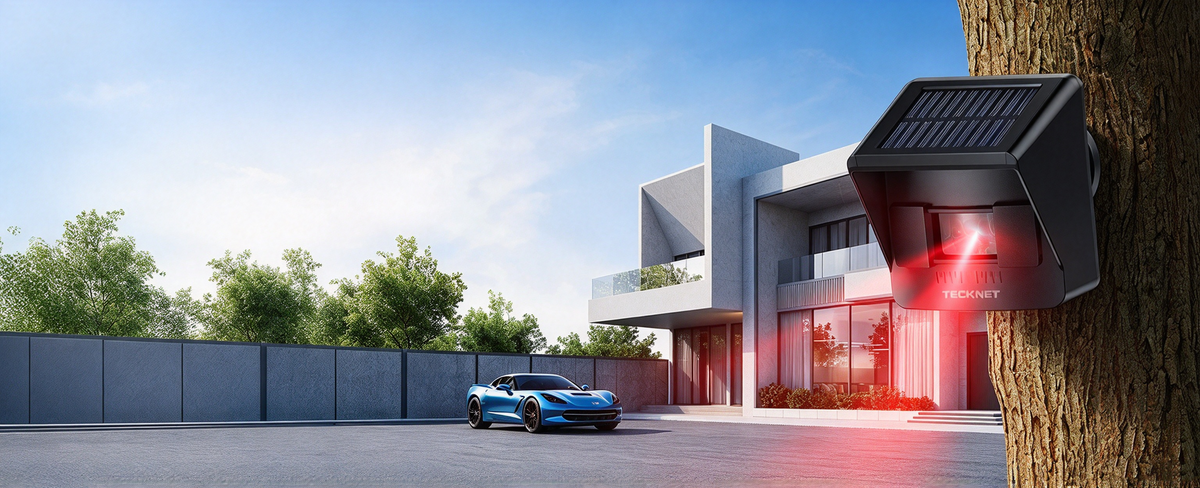
Home safety starts with knowing what is happening around your property. Whether you live in a house, apartment, or property with a long driveway, the right alarm devices can help you stay aware of activity around important entry points and outdoor areas.
From door and window alarms to motion sensor alarms and wireless driveway alarms, different devices serve different purposes. Understanding how they work can help you choose practical home security solutions for your everyday needs.
In this guide, we’ll explore the types of home security alarms available, where to use them, and what to consider when choosing the right alarm devices for your home.
1. Why Are Home Security Alarms Important?
A home security alarm can provide an audible warning when a door opens, movement is detected, or activity occurs in a monitored area. Depending on the device, this warning may help alert people inside the home or notify someone that activity is happening outside.
You don’t necessarily need to start with a complicated security system. Standalone alarm devices can help address specific concerns, such as an entry door that needs extra attention, a room where movement should be detected, or a driveway where visitors may approach before reaching the house.
When planning your home safety setup, consider three key areas:
- Entry points: Front doors, back doors, windows, and other accessible entrances.
- Indoor spaces: Rooms, hallways, garages, or other areas where an audible motion alert may be useful.
- Outdoor approaches: Driveways, gates, and other areas where you want to know when someone or something approaches.
The best approach is to match each alarm to the location and type of activity you want to monitor.
2. Door and Window Alarms: Add Protection to Entry Points
Doors and windows are important places to consider when planning home security. A door and window alarm sensor can provide an audible warning when a monitored entry point is opened, depending on the product's design.
These devices can be useful for:
- Front and back doors
- Ground-floor windows
- Sliding doors
- Garage entry doors
- Other doors or windows that need additional attention
Before choosing a door alarm, consider how it is installed, how it is activated, whether it includes a remote control, and how the alarm can be turned off. If you rent an apartment or prefer a simple setup, check the mounting requirements to make sure the product suits your living space.
A Practical Option for Home Entry Points
The TECKNET Door and Window Alarm Sensor with Remote is an option to consider when you want a dedicated alarm for doors and windows.
Think about which entry points matter most in your daily routine. For example, you might prioritize a back door, a frequently used window, or an entrance that is not always within sight. Choosing alarm devices based on your actual layout can help you build a more practical home safety setup.
3. Motion Sensor Alarms: Detect Movement Indoors
A motion sensor alarm is designed to respond to movement within its detection area. Unlike a door or window alarm, which focuses on an opening point, a motion sensor alarm can help alert you to activity within a monitored space.
Depending on the product and its placement, possible locations include:
- Living rooms or hallways
- Garages and workshops
- Storage areas
- Rooms that are not occupied all the time
- Other indoor spaces where an audible alert is useful
When choosing an indoor motion sensor alarm, look at its sound level, detection coverage, control options, and placement requirements. A louder alarm may be useful when you need a noticeable audible warning, but consider your household, neighbors, and pets when deciding where to install it.
A Loud Alarm with Remote Control
The TECKNET 125dB Indoor Motion Sensor Alarm with 328 ft Remote Control is designed for users looking for a loud indoor motion alarm with remote control.
Before installation, choose a location that suits the area you want to monitor and follow the product instructions for positioning and operation. Test the alarm after setup so you can confirm that it works as expected in your chosen location.
Remember that motion alarms and door or window sensors serve different purposes. Combining them strategically may help you monitor both entry points and selected indoor areas.
4. Wireless Driveway Alarms: Monitor Outdoor Approaches
Home safety doesn't stop at the front door. If your property has a driveway, gate, or outdoor approach, a wireless driveway alarm can help you become aware of activity in that area.
Driveway alarms are designed to alert you when their outdoor sensor detects activity within its coverage area. Depending on the model, the alert may sound through a separate receiver inside the property, allowing you to hear it without standing outside.
A driveway alarm may be useful for:
- Long driveways
- Homes set back from the road
- Private gates and entrances
- Garages and parking areas
- Properties where visitors approach from outside
When choosing a wireless driveway alarm, consider the sensor's detection area, the communication range between the sensor and receiver, weather suitability, power source, and installation location.
Outdoor conditions can affect performance, so follow the manufacturer's guidance for sensor placement and testing. Avoid assuming that every wireless alarm will work equally well across every property layout.
A Solar-Powered Wireless Option
The TECKNET Solar Wireless Driveway Alarm is worth considering if you want an outdoor driveway alert with solar-powered operation.
A solar-powered design may help reduce the need for frequent manual battery replacement, depending on sunlight exposure and the product's specifications. For best results, check the recommended installation location and ensure the solar panel receives suitable light.
If your driveway is long or has obstacles, verify the product's stated operating range and test the sensor and receiver in their intended positions before relying on the system for everyday alerts.
5. How to Choose the Right Home Security Alarm
With several types of alarm devices available, the right choice depends on what you want to monitor and how you want to receive an alert.
Here are five factors to consider before buying.
Identify the Area You Want to Monitor
Start by identifying the specific concern. A door or window alarm is intended for an opening point, a motion sensor alarm responds to movement within its detection area, and a driveway alarm is designed to alert you to activity approaching from outside.
Choosing by use case is more helpful than selecting a device based on its name alone.
Check Detection and Wireless Range
For wireless devices, review the manufacturer's stated range and detection coverage. These are not necessarily the same measurement: detection coverage describes the area a sensor can monitor, while wireless range describes communication between components.
Walls, fences, vehicles, and other obstacles may affect real-world performance. Test the device in the actual installation environment.
Consider the Alarm Sound
If an audible warning is important, check the product's stated sound level and control options. A loud alarm may be suitable for some indoor locations, while a more discreet alert may be preferable in other settings.
Choose a sound level and placement that make sense for your household and nearby living spaces.
Review Power and Installation Requirements
Consider whether the device uses batteries, solar power, or another power source. For outdoor alarms, check weather-resistance information and installation recommendations. For indoor devices, review mounting instructions and the placement needed for reliable operation.
Decide Whether You Need a Standalone Alarm or a Full Security System
Standalone alarms can be a practical choice when you want to monitor a particular entry point or area. A complete home security system may be more appropriate if you need connected sensors, app-based alerts, cameras, or professional monitoring.
Check the actual features of each product before buying. Do not assume that a standalone alarm includes Wi-Fi connectivity, smartphone notifications, or professional monitoring unless the manufacturer explicitly states so.
6. Can You Use Different Alarm Devices Together?
Yes. Different types of alarms can complement one another when they address separate areas of your property. For example, you might use:
- A door and window alarm to monitor an entry point.
- An indoor motion sensor alarm to provide an audible warning in a selected room.
- A wireless driveway alarm to alert you to activity near an outdoor approach.
This approach lets you focus on the areas that matter most without expecting one device to do everything.
Before setting up multiple devices, consider where each alarm will be placed, how its alert sounds, and whether household members can operate it easily. Follow each product's instructions and test the devices individually after installation.
Standalone alarms can add a useful layer of awareness, but they should not be treated as a guarantee against break-ins or as a replacement for appropriate locks, good lighting, safe habits, or emergency services when needed.
7. Explore TECKNET Home Safety Alarm Devices
Choosing the right alarm starts with understanding your home's layout and the areas you want to monitor. TECKNET offers options for different home safety needs, from indoor motion detection to door and window alerts and outdoor driveway monitoring.
For indoor motion alerts: Explore the TECKNET 125dB Indoor Motion Sensor Alarm with 328 ft Remote Control.
For doors and windows: Discover the TECKNET Door and Window Alarm Sensor with Remote.
For driveway monitoring: Take a look at the TECKNET Solar Wireless Driveway Alarm.
Review each product's specifications to find the option that best fits your property, installation preferences, and everyday needs.
Frequently Asked Questions
What is the difference between a door alarm and a motion sensor alarm?
A door alarm is designed to detect when a monitored door or window opens. A motion sensor alarm detects movement within its detection area. They address different situations and can be used together where appropriate.
Are wireless driveway alarms worth it?
A wireless driveway alarm may be useful if you want an alert when activity is detected near your driveway or outdoor entrance. Consider the sensor's detection coverage, wireless communication range, power source, and suitability for your property before purchasing.
Where should I place a home security alarm?
Choose the location based on the type of alarm. Door and window sensors belong at the entry points they are designed to monitor. Indoor motion alarms should be positioned according to the manufacturer's detection and mounting guidance. Driveway sensors should be installed in a suitable outdoor location that covers the intended approach.
Do I need a complete home security system?
Not necessarily. If you only need to monitor a particular door, room, or driveway, a standalone alarm may meet that specific need. If you want connected sensors, cameras, remote app alerts, or professional monitoring, compare complete systems and verify which features are included.
What should I check before buying an alarm device?
Review the intended use, detection coverage, wireless range if applicable, alarm sound, power source, installation requirements, and any environmental limitations. Always check the manufacturer's product specifications to confirm that the device suits your intended location.
Final Thoughts
Improving home safety starts with identifying the areas where you want more awareness. Door and window alarms help monitor entry points, motion sensor alarms can provide alerts when movement is detected indoors, and wireless driveway alarms can help you notice activity near outdoor approaches.
By matching each device to its intended purpose, you can create a more practical home safety setup for your everyday life. Explore TECKNET's home alarm options to find a device that fits your needs.

Leave a comment
This site is protected by hCaptcha and the hCaptcha Privacy Policy and Terms of Service apply.